
Can You Play Meccha Chameleon Online? Multiplayer Guide
Yes, Meccha Chameleon online is the whole point. Learn public matchmaking, private lobbies, how to play with friends, player counts and crossplay for mecha chameleon.
Last updated: 2026-06-23
Can You Play Meccha Chameleon Online? Multiplayer Guide
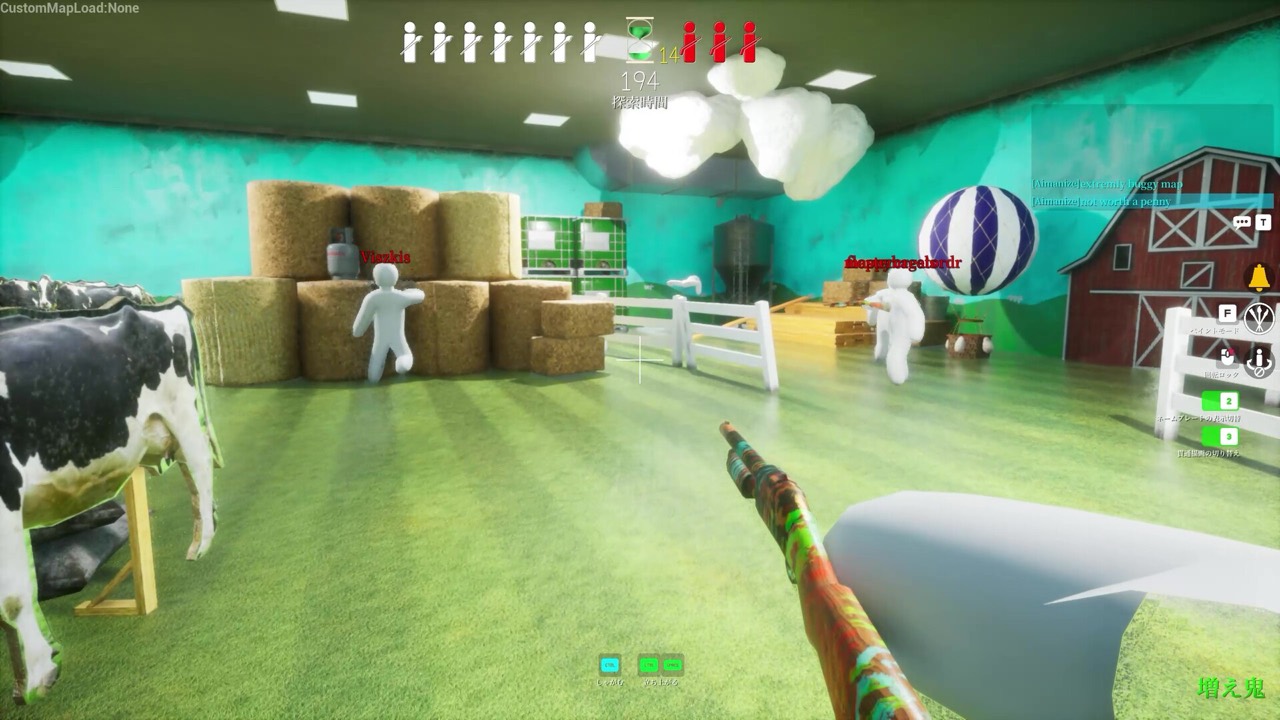
Yes, you can play Meccha Chameleon online, and honestly that is the only way to play it. It is an online PvP multiplayer game where hiders paint their bodies to blend into the level while seekers hunt them down. There is no offline solo campaign, so a working internet connection and a Steam account are all you need to jump into a match. This page walks through public matchmaking, private lobbies, playing with friends, player counts, crossplay, and what to do when you cannot connect.
How Meccha Chameleon online multiplayer works
The whole online experience runs on Epic Online Services under the hood, which handles the matchmaking and lobby networking. You do not need a separate Epic account to play, and you do not have to host your own server. When you launch the game, you pick how you want to play, the service finds or spins up a session, and you are dropped into a round with other painted blobs trying to disappear into the walls.
Because everyone connects through these online servers, the painting and seeking happen in real time. Hiders sample colors and brush their disguise while seekers move around the maps scanning for anything that looks slightly off. Master the paint guide and your controls before you queue up, since online opponents are far less forgiving than a quiet practice room.
Public matchmaking vs private lobbies
There are two ways to get into an online match:
- Public matchmaking. Click to play and the game pairs you with strangers on public servers. This is the fastest route when you just want a quick round and do not have a group ready.
- Private lobbies. Create your own lobby, get the invite or code, and share it with the people you want in your game. Private lobbies are ideal for friend groups, communities, and streamers who want a controlled match.
Streamers in particular lean on private lobbies to run viewer games, filling a room with their audience instead of random players. If you want a predictable group every time, private lobbies are the way to go.
How to play with friends
Playing with friends is simple. Set up a private lobby, then send your friends the invite so they can join the same session. Everyone needs to own the game on Steam, though Steam Family Sharing means a household can share one library copy in many cases. Once your friends are in the lobby, you split into hiders and seekers and start the round.
Co-op fans should know the catch: there is no separate co-op campaign. The "together" part of this paint-to-hide game is the team play inside a match, hiders cooperating to outlast the seekers, or seekers coordinating to flush everyone out. That team dynamic is where the fun lives. For a full rundown of formats, see the game modes page.
Player counts: up to 24 players
A single lobby supports up to 24 players, which makes for chaotic, crowded rounds when a big group piles in. That said, the game plays best with a smaller crowd, roughly 2 to 10 players, so each map does not get overstuffed and hiders actually have room to disappear. For more detail on sweet spots and minimums, check the player count page.
Crossplay and platforms
There is no crossplay in the game, but that is because there is nothing to cross. The game is Windows PC only via Steam, so every single player is already on the same platform. Everyone you queue with, whether in public matchmaking or a private lobby, is playing the Windows build. There is no console or mobile version to bridge to. If you want the full platform breakdown, including Steam Deck and Mac notes, see the platforms page.
Online play not working? Quick fixes
If you cannot connect or online matches will not load, try these legitimate steps in order:
- Verify the game files through Steam (right-click the game, Properties, Installed Files, Verify integrity).
- Check your firewall and router to make sure Steam and the game are not blocked.
- Restart Steam completely, then relaunch the game.
- Check the Steam status page in case the servers or matchmaking are down on their end.
These cover the most common connection hiccups. For crashes, Unreal Engine errors, lag and getting kicked, see the full troubleshooting guide. Avoid any shady "online fix" tools or cracks, since those break Family Sharing, risk your account, and never actually help.
Once you are connected, the only thing standing between you and victory is a convincing disguise. Brush up with the how-to-play basics, steal a few tips, and queue up. Plan your disguise with the free camouflage palette matcher.