
Meccha Chameleon Paint and Color Matching Guide
A step-by-step Meccha Chameleon paint guide - master the full color matching loop: pick a spot, set your pose, eyedrop, layer, tune material, then freeze. Mecha chameleon hiders welcome.
最近更新: 2026-06-23
How to Paint and Match Colors in Meccha Chameleon
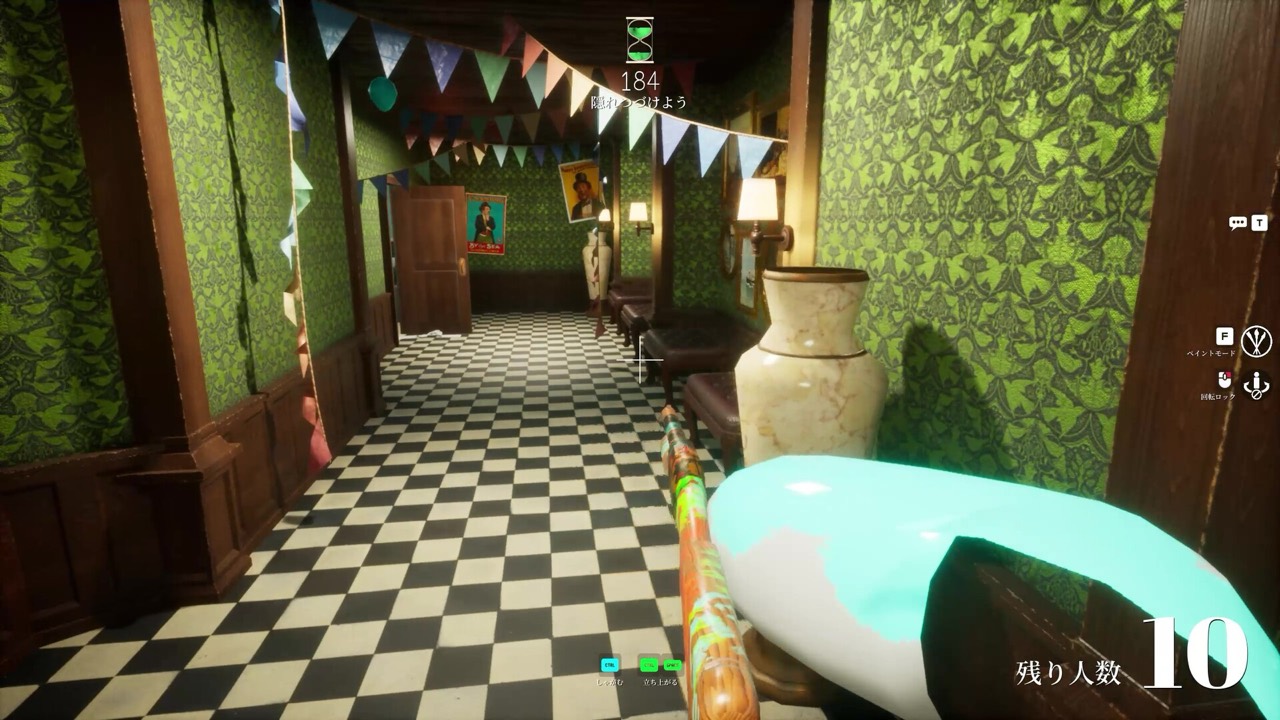
This Meccha Chameleon paint guide teaches the one skill that decides every round: blending in by painting your own body to match the wall, floor, or prop you press against, instead of just ducking behind a couch like older hide-and-seek games. That single twist is what turns the hider role into a real craft - in this paint-to-hide party game a good disguise is a layered, deliberate paint job, not a lucky color guess.
This guide walks through the full six-step paint loop. Follow it in order every round and your hide rate climbs fast. If you are brand new, start with the beginner's guide first, then come back here to master the camouflage itself.
Why a single flat color always fails in Meccha Chameleon
The number one mistake new hiders make is dumping one solid color over their whole body and hoping it matches. Real surfaces are never one flat tone. A wall has a base color, darker shadow in its corners and seams, and brighter highlights where light hits it. A flat blob next to a textured wall reads as wrong instantly, even from across the room. Good camouflage copies that variation in layers, and learning to see those layers is what separates a great hider from a quick kill.
The six-step paint loop
Step 0 - Pick your spot first
Paint is built for one specific surface under one specific light. A disguise tuned for a bright kitchen shelf looks fake in a dim corner two feet away. So choose where you will hide before you open paint mode, then sample the actual surface you will be pressed against. Need spot ideas per level? See the maps overview and individual pages like Mansion and Backrooms.
Step 1 - Set your pose
Your silhouette is the first thing a seeker scans, before they ever judge color. Crouch, lie flat, curl into a ball, or press flat against a wall before you paint, so your shape already matches the object you are imitating. A perfect paint job on a blob-shaped silhouette still screams "player."
Step 2 - Eyedropper and sample
Open paint mode (default F), aim at the surface, and sample with the eyedropper (default Spacebar). Do not grab just one color. Sample three to four: a base or mid tone, a shadow tone from the darker areas, and a highlight from where light lands. Accurate sampling is the backbone of every clean disguise. See all bindings on the controls page.
Step 3 - Paint in layers
This is the heart of color matching. Build the disguise in three passes:
- Broad tone (base) - lay the dominant mid-tone across most of your body. This is your foundation.
- Believable noise (shadow plus texture) - add the shadow tone into the areas that would naturally be shaded, plus subtle grain. This noise is what sells the illusion; a single flat color is the biggest giveaway in the game.
- Risky accent (highlight plus detail) - add the highlight tone and any small details last, and use them sparingly. Accents draw the eye, so a little goes a long way.
The free camouflage palette matcher is built around exactly this base / noise / accent structure. Tell it the surface you are hiding against and it returns a layered plan - which tone to lay down first, where the shadows go, and how much highlight to risk - so you are not eyedropping blind under a ticking timer.
Step 4 - Fine-tune the material
Color is only half of matching. Use the HSV sliders to nudge hue, saturation, and value until your tones sit exactly on the surface, then set metallic and roughness. A glossy body shining against a matte wall (or a dull body on a polished floor) gives you away even when the color is perfect. Match how the surface reflects light, not just its color.
Step 5 - Pose check and freeze
Before the round goes live, confirm the disguise reads from the angles a seeker will actually approach. A classic death is a flawless front and a completely unpainted back. Rotate, check every side, fix gaps - then freeze and hold completely still. Movement breaks even a perfect paint job.
A quick worked example
Here is the loop applied to a real surface. Hiding against teal barn paneling in Indoor Country? Sample the mid teal as your base, pull a darker teal-green from the shaded plank gaps for noise, and add a thin lighter highlight along one edge. Set roughness fairly high so the wood reads matte. Pose flat against the wall, freeze, and you are effectively part of the barn - a textbook disguise.
Common Meccha Chameleon paint mistakes to avoid
A few errors sink most hiders before they even freeze. Painting before picking a spot wastes your prep window. Skipping the shadow layer leaves a too-uniform patch that seekers spot from across the room. Leaving your back blank turns a perfect front into a free kill. And tuning color while ignoring metallic and roughness lets a glossy blob shine on a matte wall. Fix these four and your survival rate jumps without learning anything fancier.
Keep leveling up
Once the loop is muscle memory, sharpen the finer reads - shape matching, lighting traps, and where seekers look - on the pro tips page, and learn how seekers will try to catch you on the vs Prop Hunt comparison. New players should also skim the how to play basics before drilling these advanced layers.
Plan your next disguise with the free camouflage palette matcher and turn guesswork into a repeatable layered plan.